Indicators
Explore our library of custom Google Sheets functions for technical indicators. These functions allow you to calculate and analyze various indicators directly within your spreadsheets.
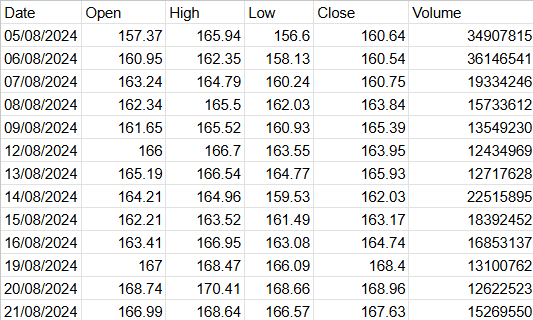
All our custom indicator functions for Google Sheets use a standard data parameter called data. This parameter expects your data to be formatted in a consistent two-dimensional array structure, known as the OHLCV format:
| Column # | Column Name | Description |
|---|---|---|
| 1 | Date | Date of the data point |
| 2 | Open | Opening price |
| 3 | High | Highest price |
| 4 | Low | Lowest price |
| 5 | Close | Closing price |
| 6 | Volume | Trading volume for the period |
Example Using Google Finance Data
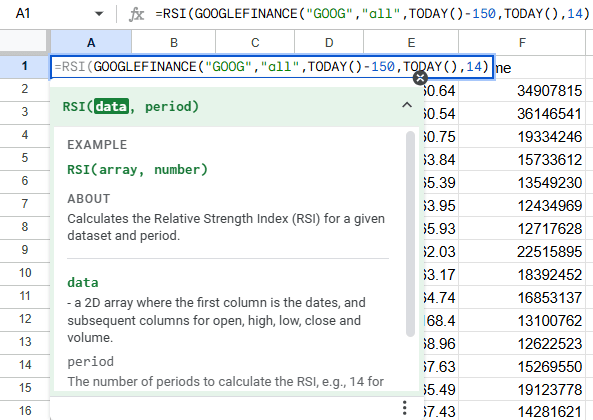
Data from Google Finance naturally follows this format. Here’s how you might calculate the RSI indicator with a 14-day period using Google Finance data directly in Google Sheets:
Using Other Data Sources
If you’re using data from a different provider, ensure your data array matches this OHLCV structure. As long as your data conforms to this format, it can be seamlessly integrated with all custom indicator functions.